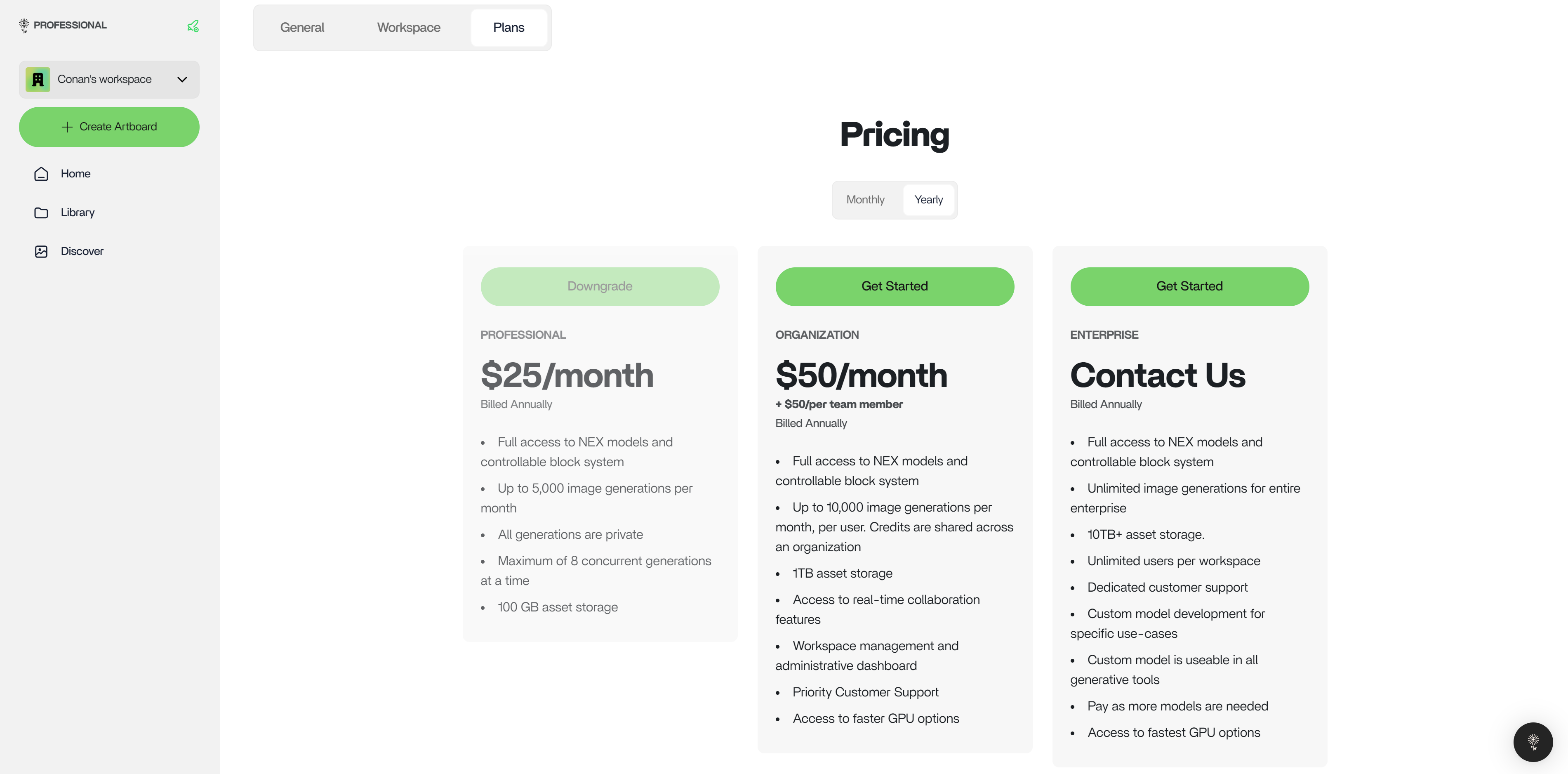

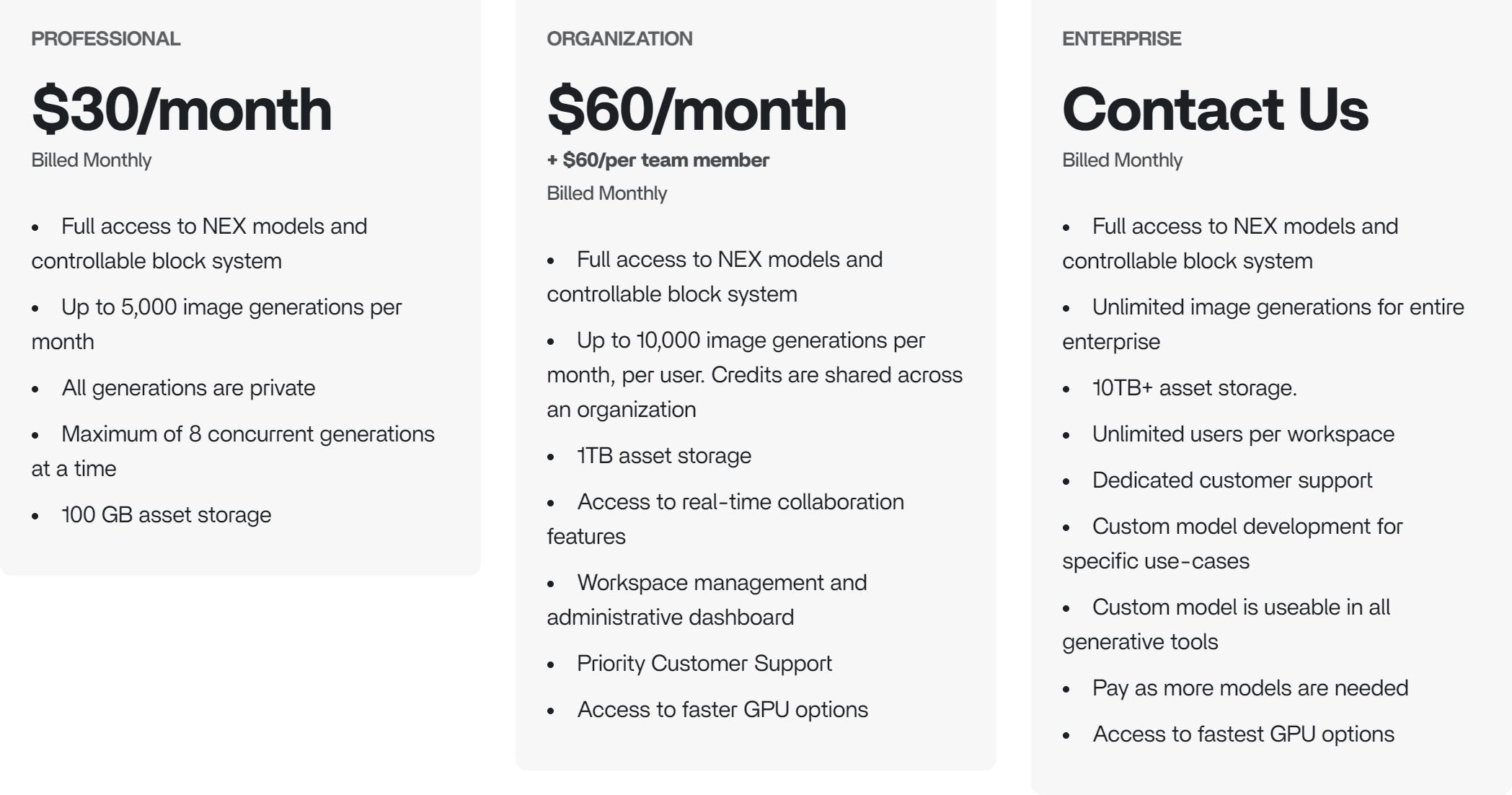
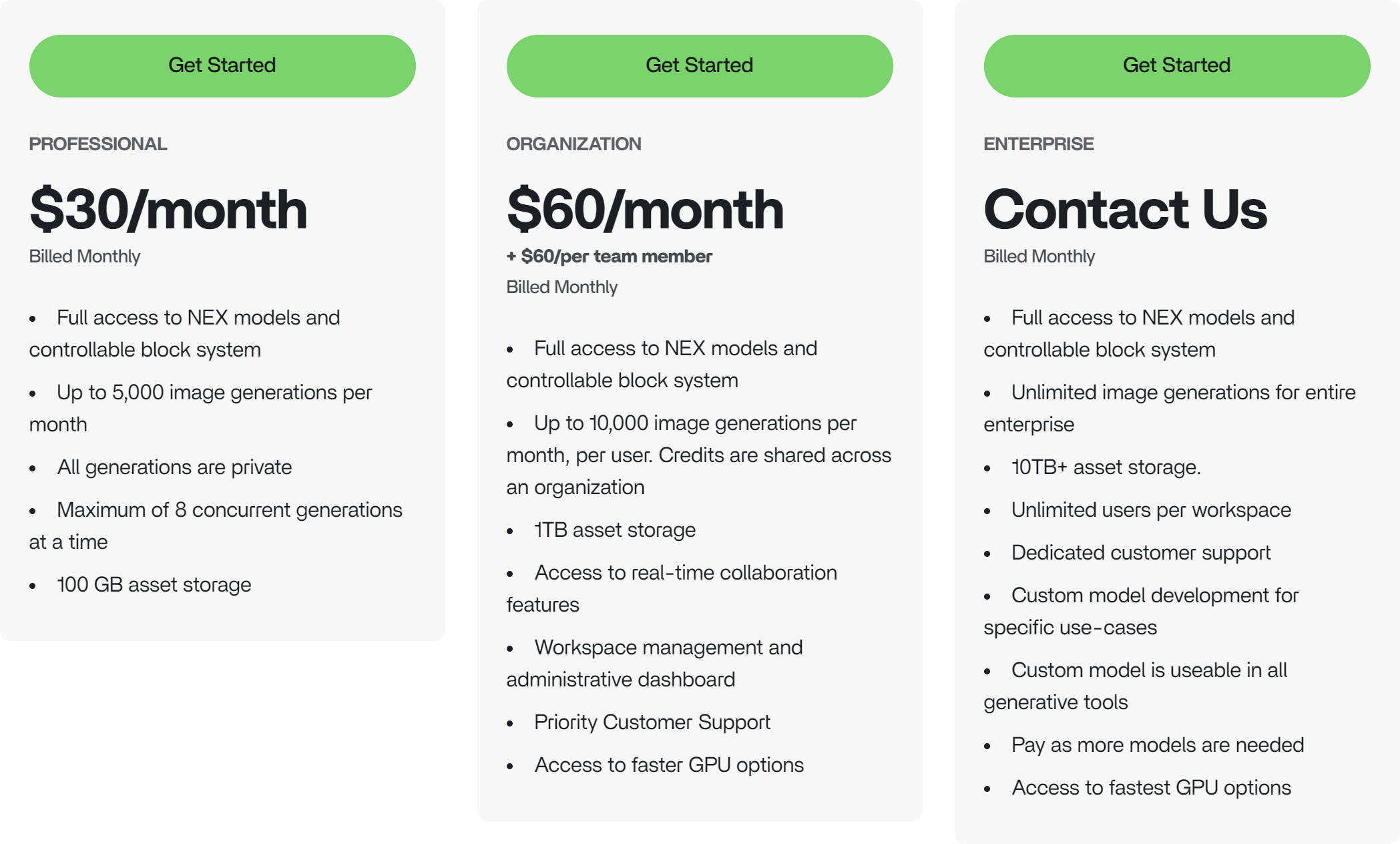
Plan Comparison
Subscribe to a Plan
- Visit the NEX Console
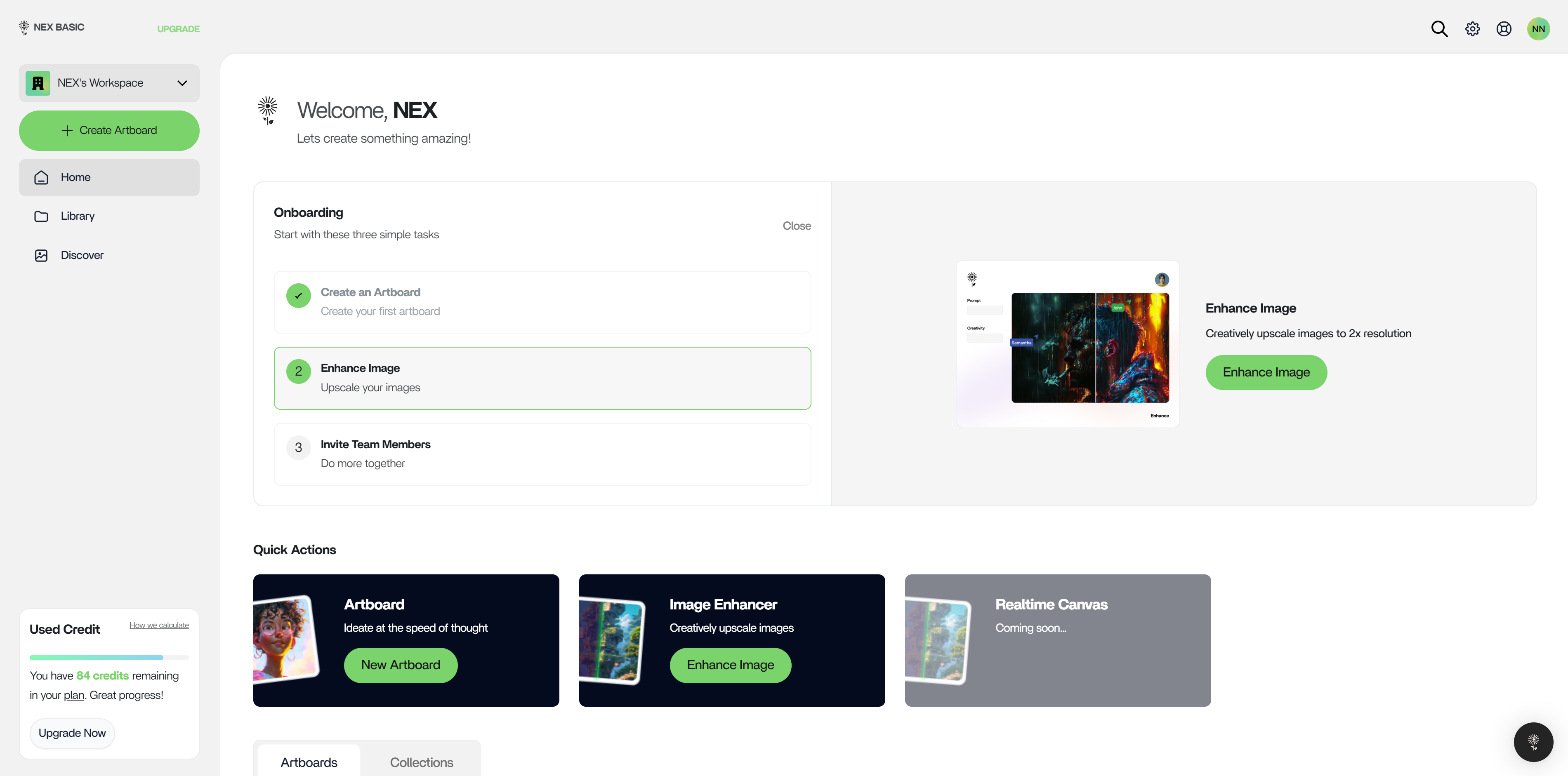
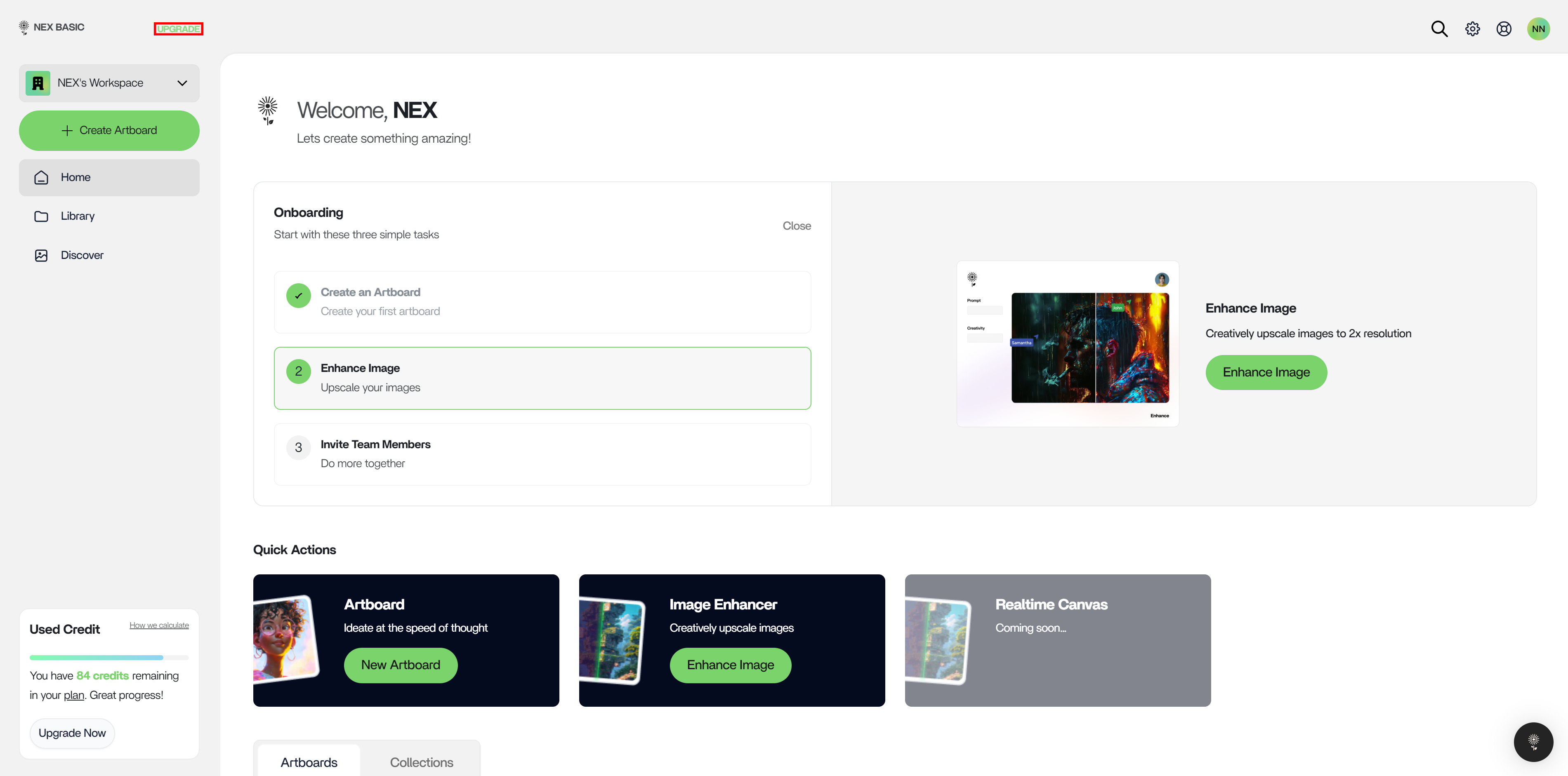
- Click on “Upgrade” in the top right of the left action bar
- On the Plans page (https://console.nex.art/settings/plans), pick the plan that applies to you.
Payment Methods
Payments through Cash App Pay, Bank, or others supported by Stripe are currently accepted: credit or debit cards issued by services like Mastercard, VISA, or American Express. PayPal is not supportedPlan Management
View and manage your plan at: https://console.nex.art/settings/workspace?page=billing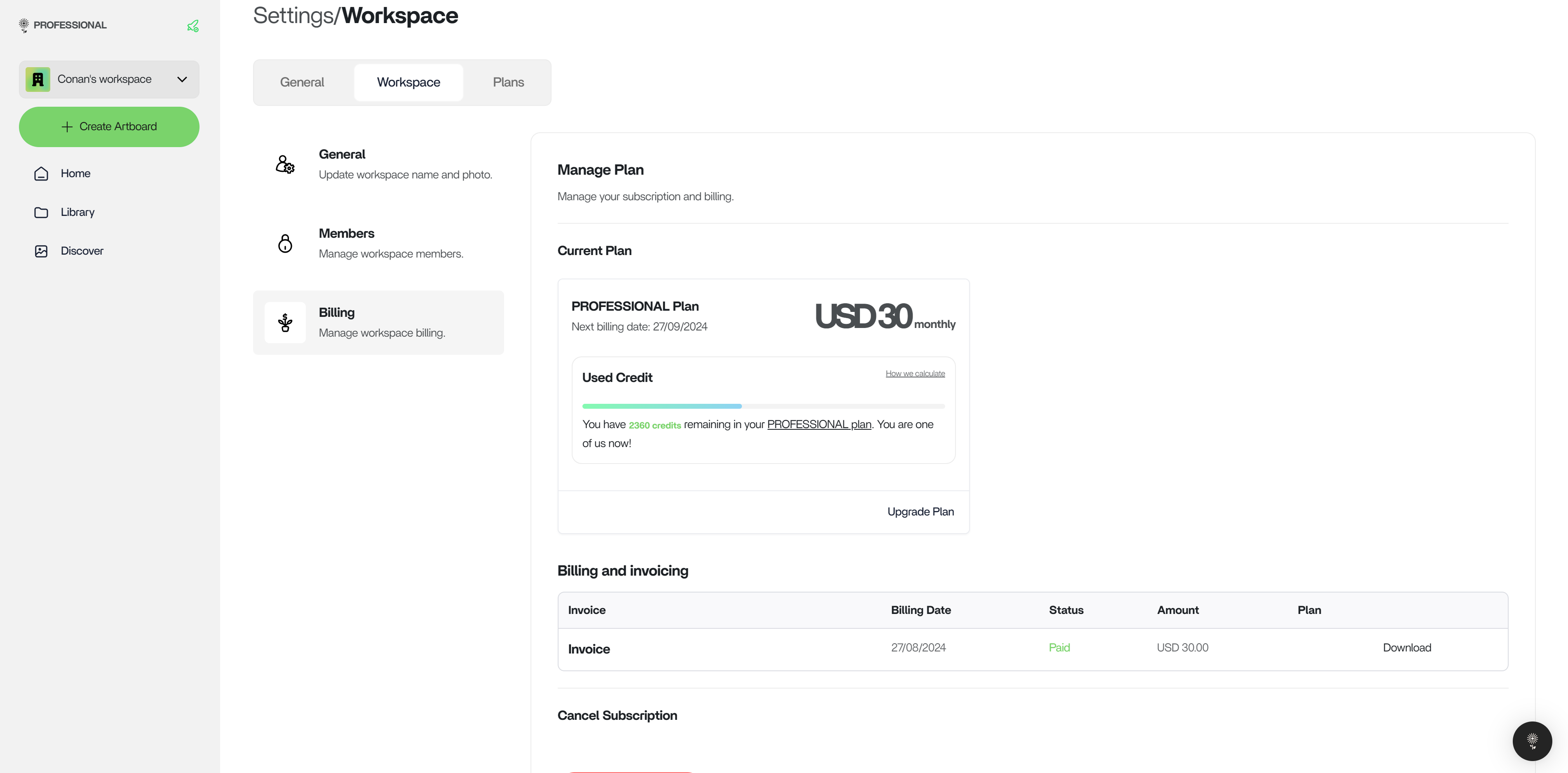
Cancellation
Head to https://console.nex.art/settings/workspace?page=billing to cancel a subscription at any time.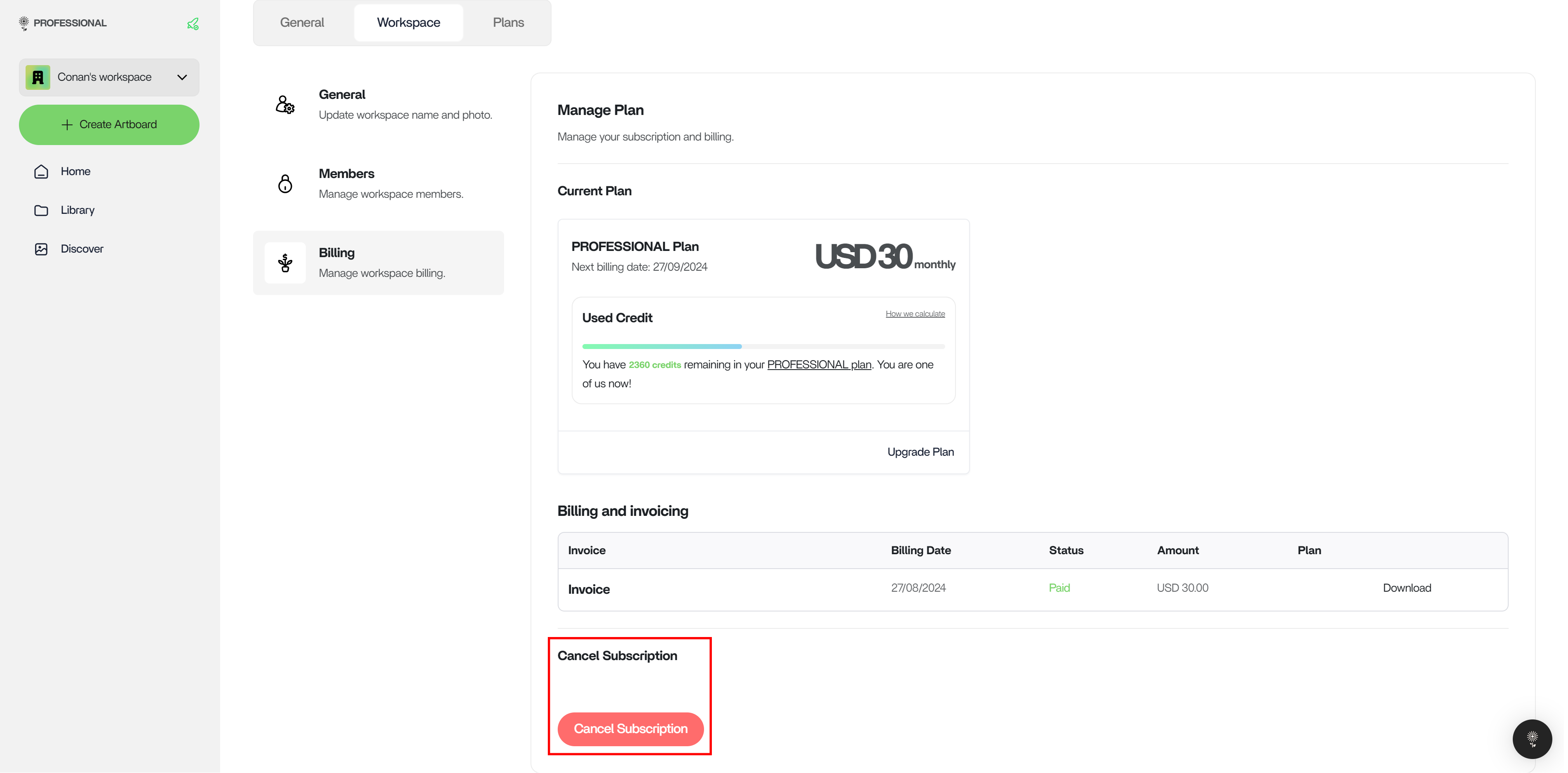
Switch Plans
When you’re ready to bring your organization onto NEX, you may choose to upgrade immediately at https://console.nex.art/settings/plans. If you are already on the Professional Plan, then you will only be charged the difference in price.