> ## Documentation Index
> Fetch the complete documentation index at: https://docs.nex.art/llms.txt
> Use this file to discover all available pages before exploring further.
# Subscription Plans
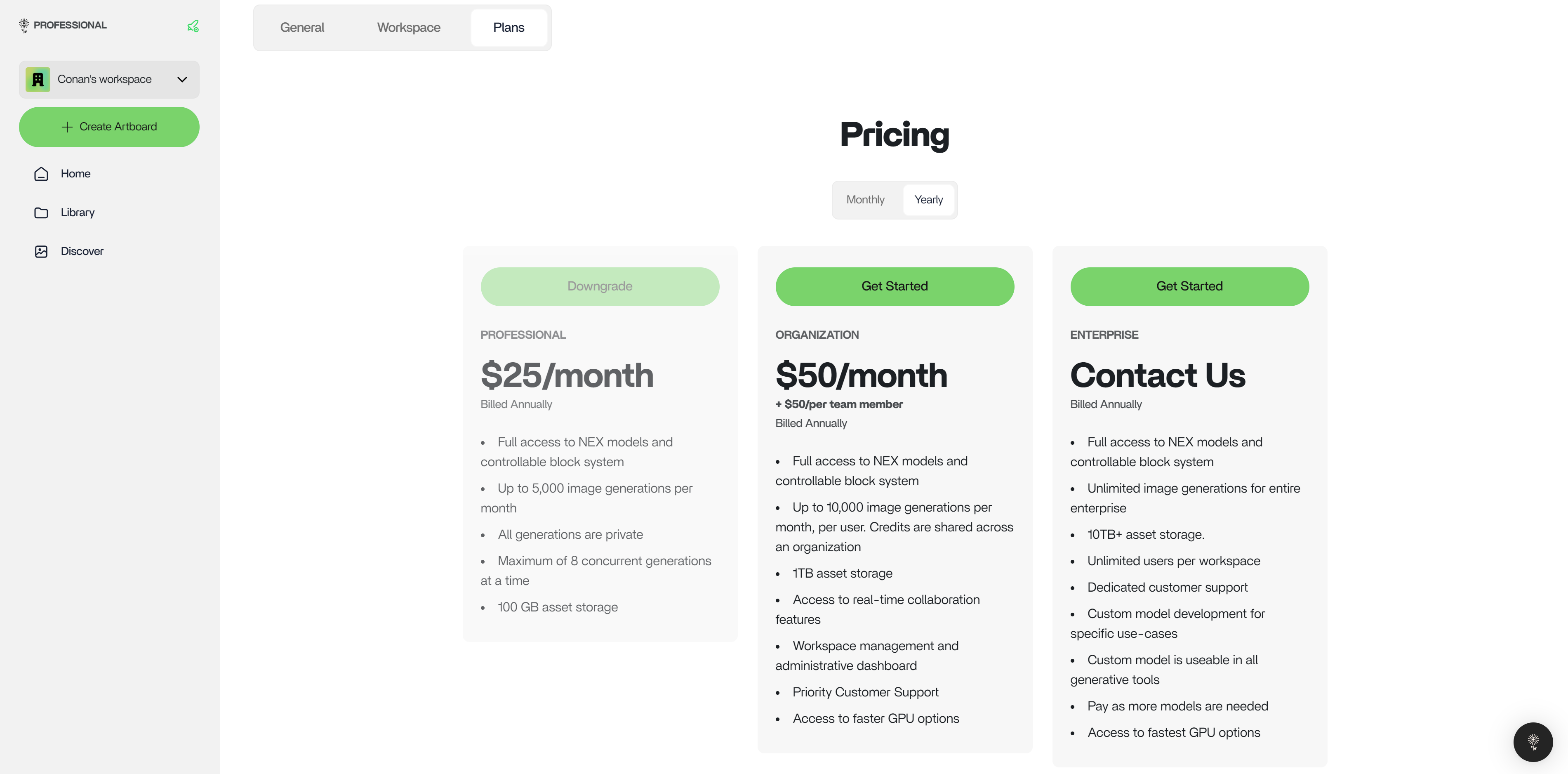
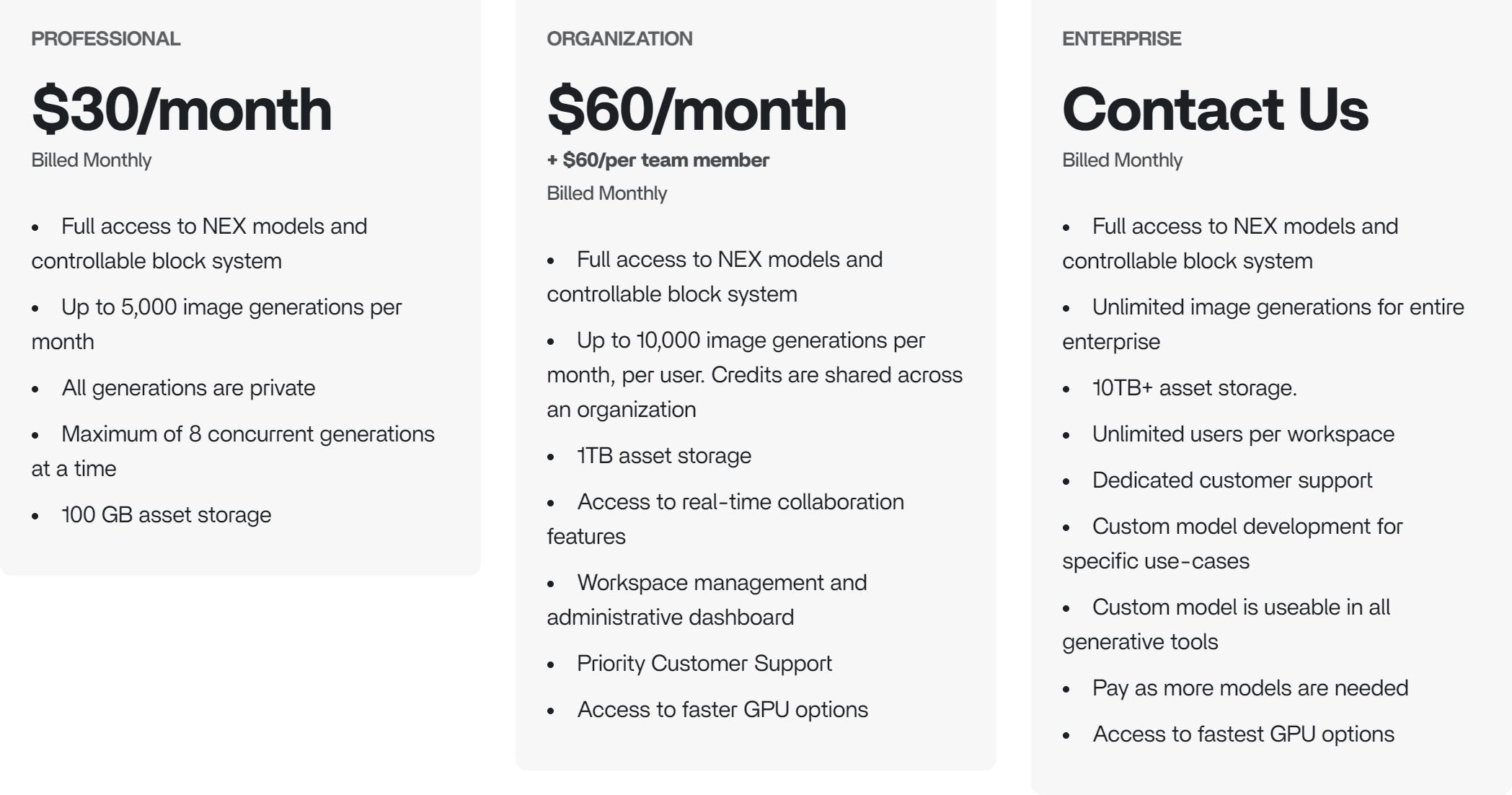
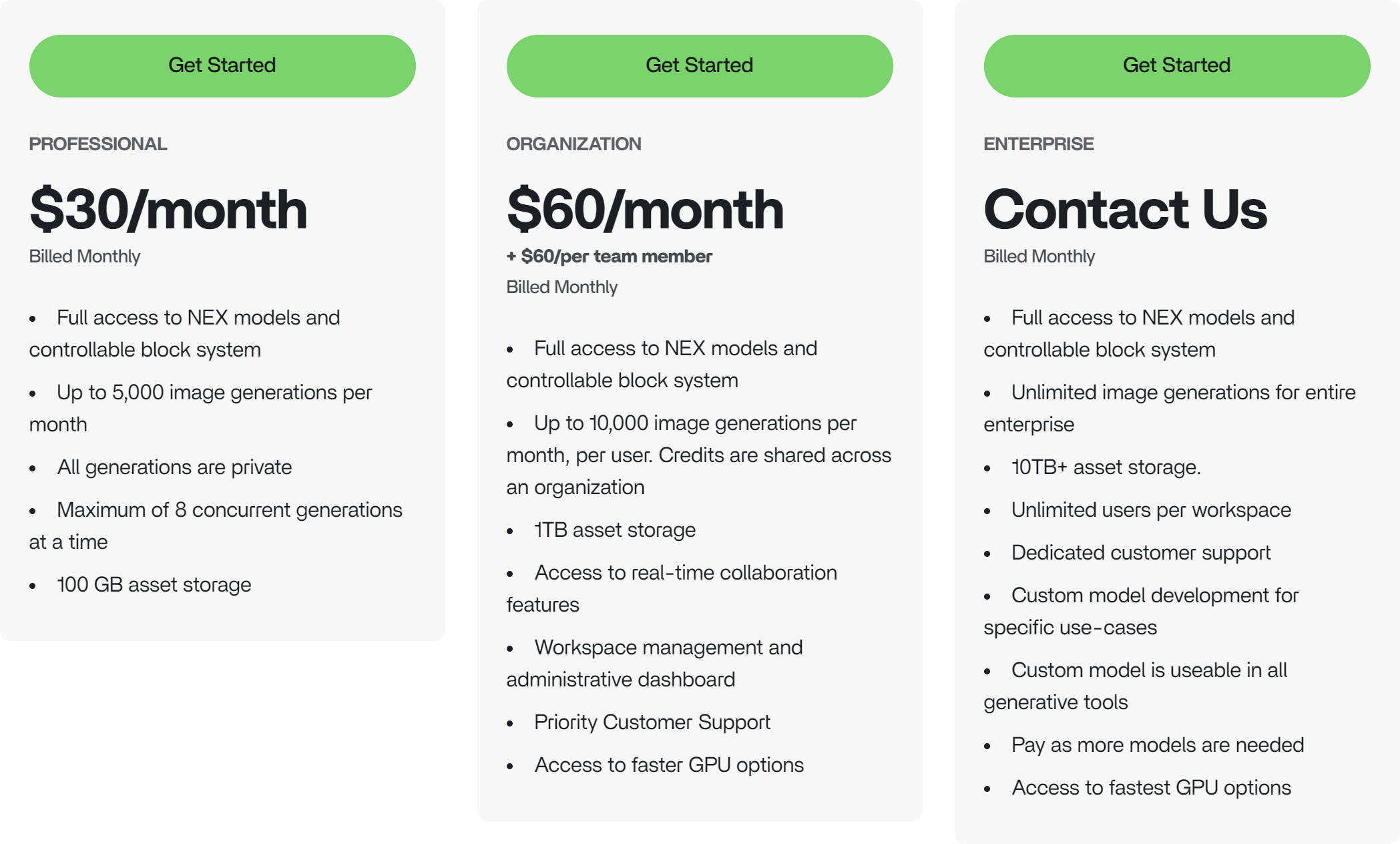
NEX has three subscription tiers. Pay month-to-month or for the entire year for a discount of \$5/month for the Professional plan and \$10/month for the Organization plan. Each subscription plan includes access to all NEX features, a maximum of 8 concurrent generations, private generations, increased asset storage, and more.
### Plan Comparison
 More info on [https://www.nex.art/pricing](https://www.nex.art/pricing).
### Subscribe to a Plan
1. Visit the NEX Console
More info on [https://www.nex.art/pricing](https://www.nex.art/pricing).
### Subscribe to a Plan
1. Visit the NEX Console
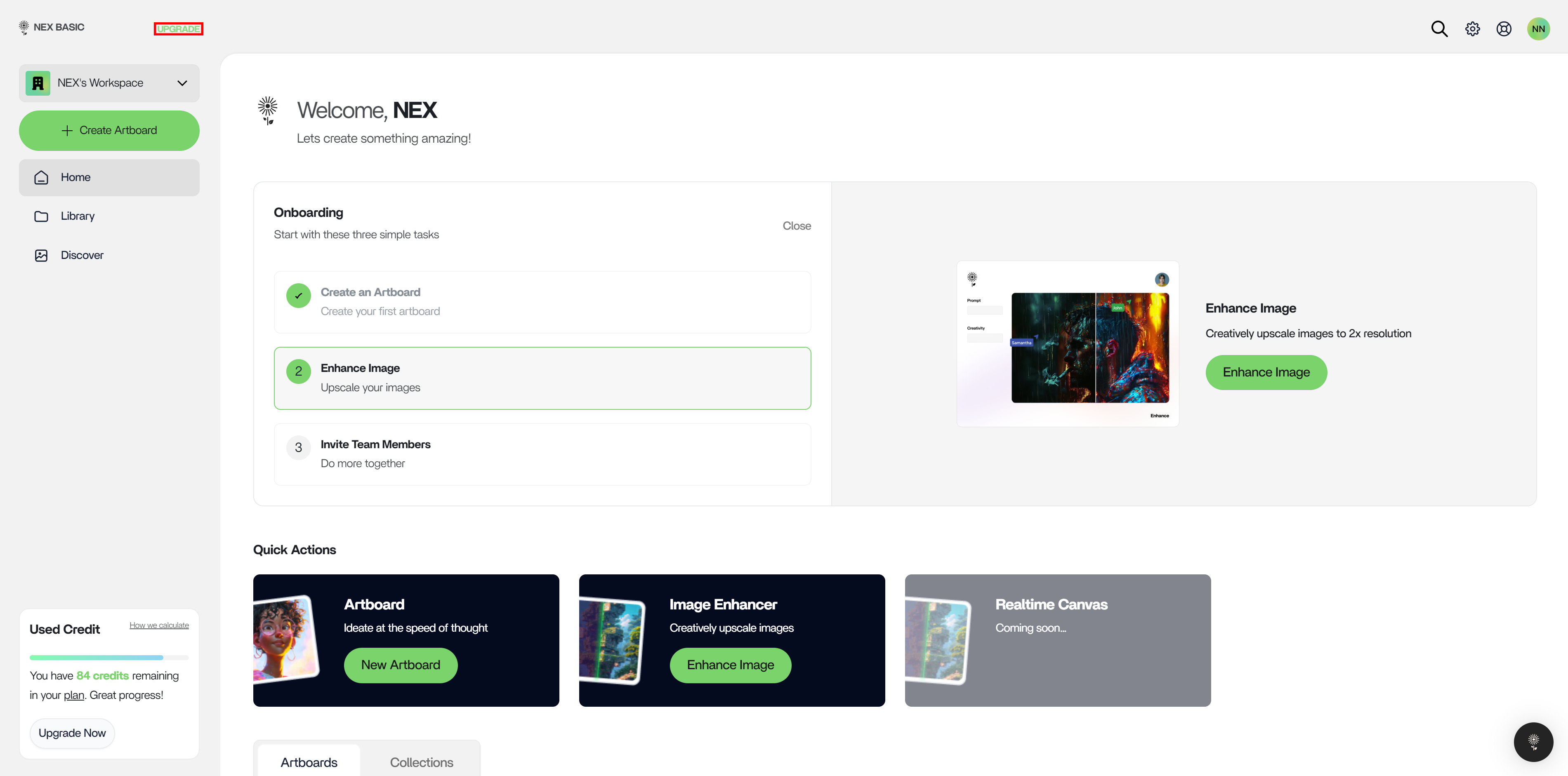
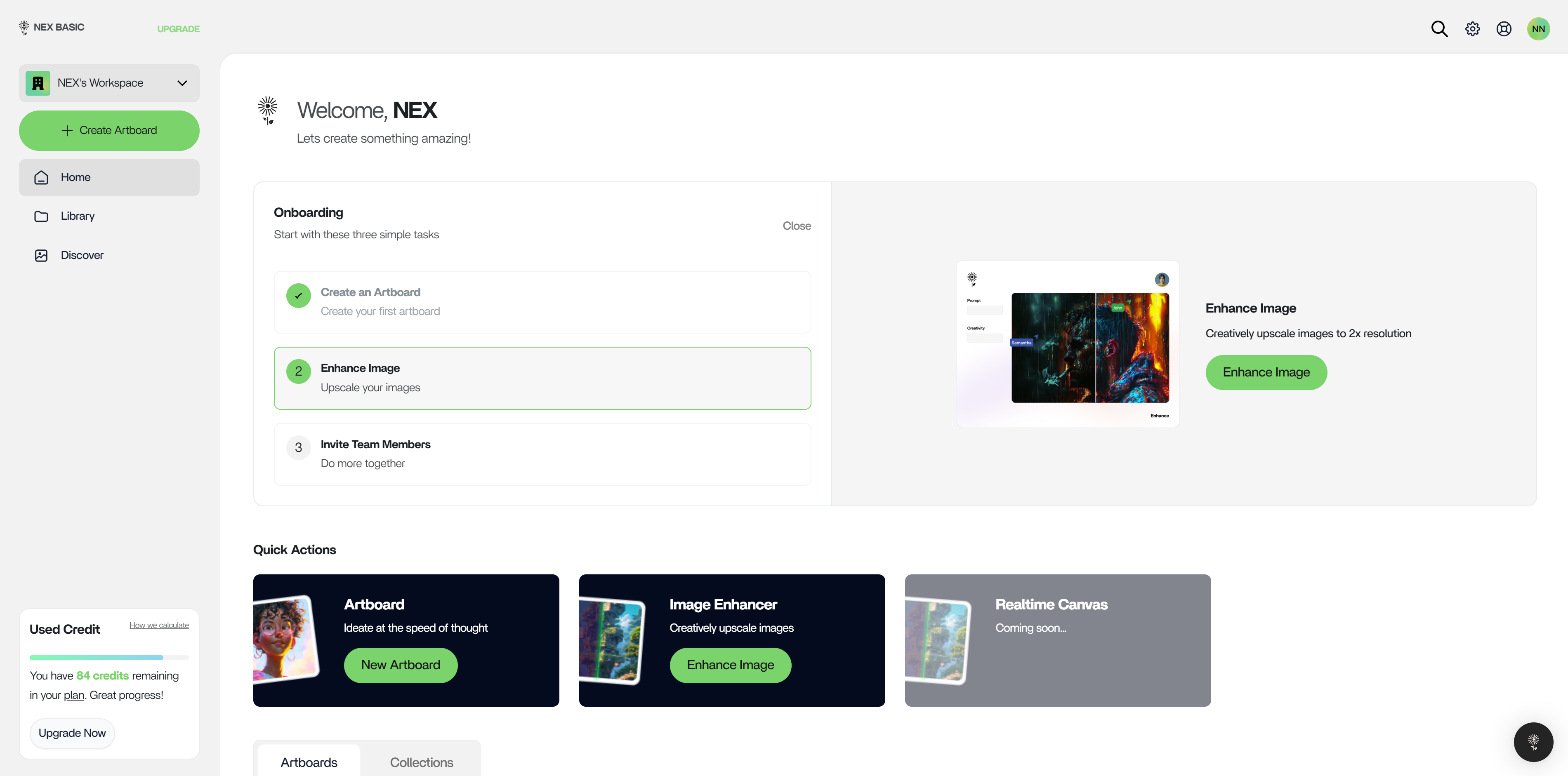 2. Click on “Upgrade” in the top right of the left action bar
 3. On the Plans page ([https://console.nex.art/settings/plans](https://console.nex.art/settings/plans)), pick the plan that applies to you.
 ### Payment Methods
Payments through Cash App Pay, Bank, or others [supported by Stripe](https://stripe.com/docs/payments/cards/supported-card-brands) are currently accepted: credit or debit cards issued by services like Mastercard, VISA, or American Express.
PayPal is not supported
### Plan Management
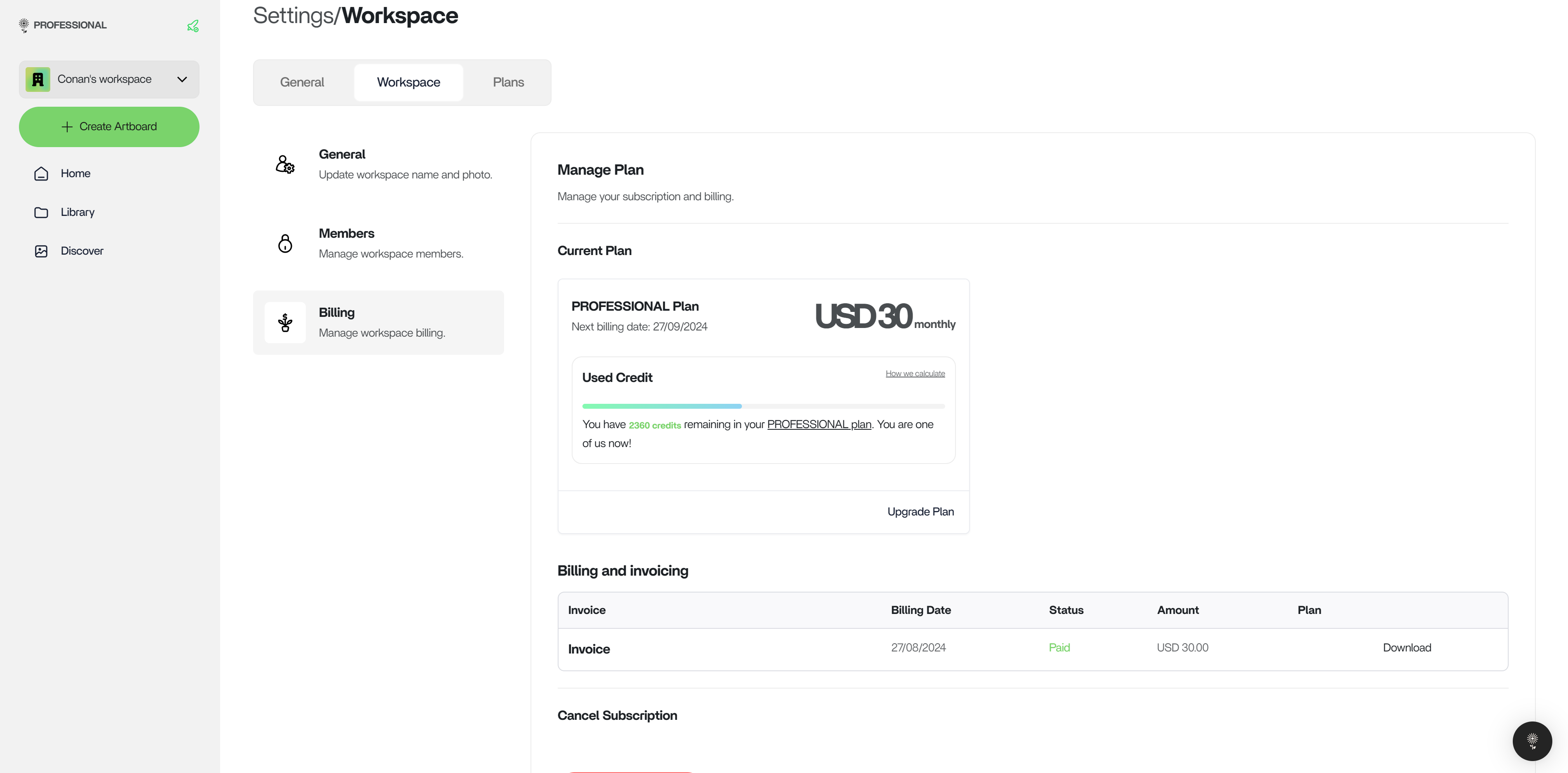
View and manage your plan at:
[https://console.nex.art/settings/workspace?page=billing](https://console.nex.art/settings/workspace?page=billing)
### Payment Methods
Payments through Cash App Pay, Bank, or others [supported by Stripe](https://stripe.com/docs/payments/cards/supported-card-brands) are currently accepted: credit or debit cards issued by services like Mastercard, VISA, or American Express.
PayPal is not supported
### Plan Management
View and manage your plan at:
[https://console.nex.art/settings/workspace?page=billing](https://console.nex.art/settings/workspace?page=billing)
 ### Cancellation
Head to [https://console.nex.art/settings/workspace?page=billing](https://console.nex.art/settings/workspace?page=billing) to cancel a subscription at any time.
### Cancellation
Head to [https://console.nex.art/settings/workspace?page=billing](https://console.nex.art/settings/workspace?page=billing) to cancel a subscription at any time.
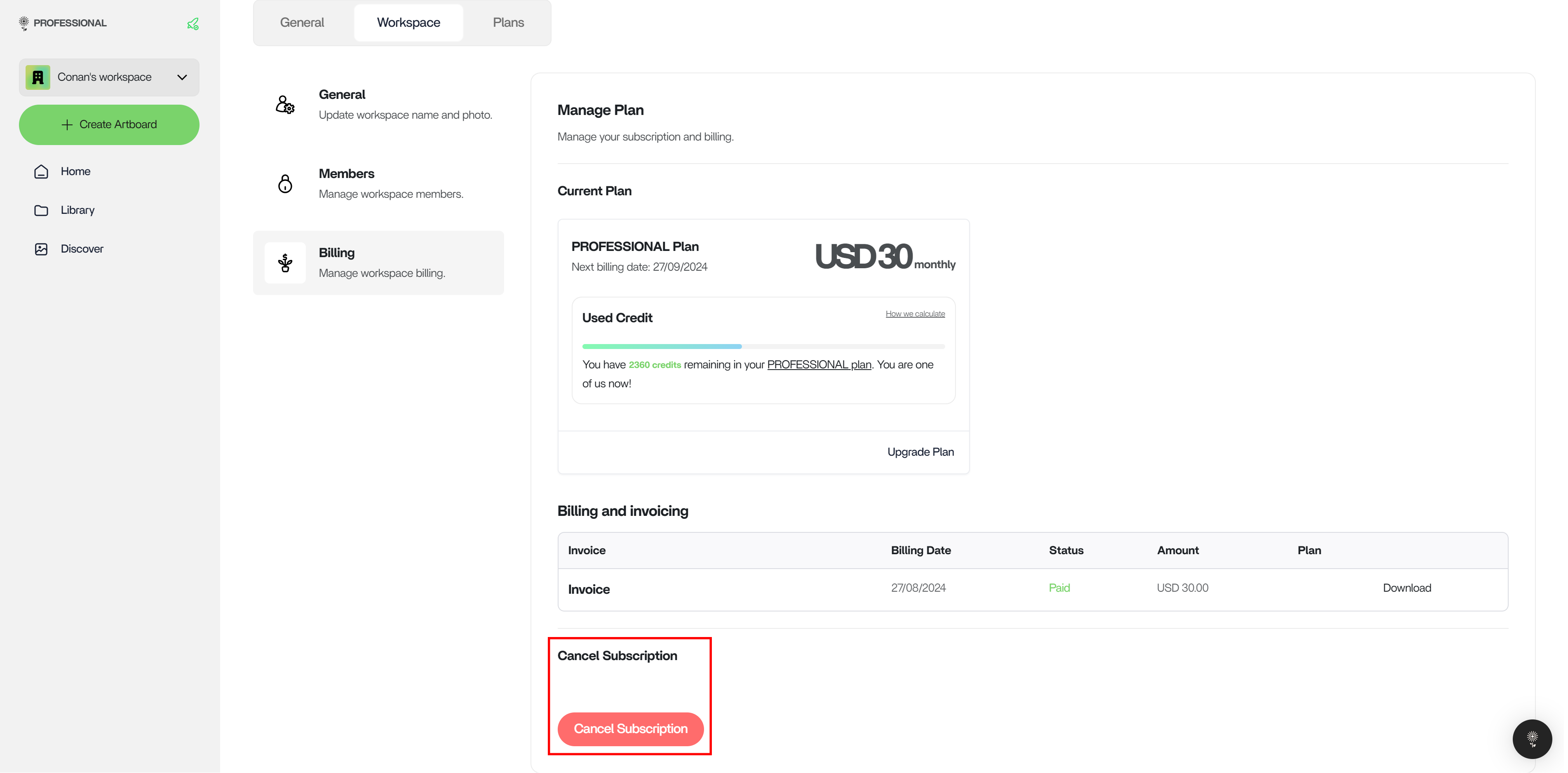 Cancellations are effective immediately.
### Switch Plans
When you’re ready to bring your organization onto NEX, you may choose to upgrade immediately at [https://console.nex.art/settings/plans](https://console.nex.art/settings/plans). If you are already on the Professional Plan, then you will only be charged the difference in price.
Cancellations are effective immediately.
### Switch Plans
When you’re ready to bring your organization onto NEX, you may choose to upgrade immediately at [https://console.nex.art/settings/plans](https://console.nex.art/settings/plans). If you are already on the Professional Plan, then you will only be charged the difference in price.