> ## Documentation Index
> Fetch the complete documentation index at: https://docs.nex.art/llms.txt
> Use this file to discover all available pages before exploring further.
# Image Enhancer
NEX comes with a built in Image Enhancer that upscales the image to 2x its original size as well as reimagines the image.
## How to use the Image Enhancer
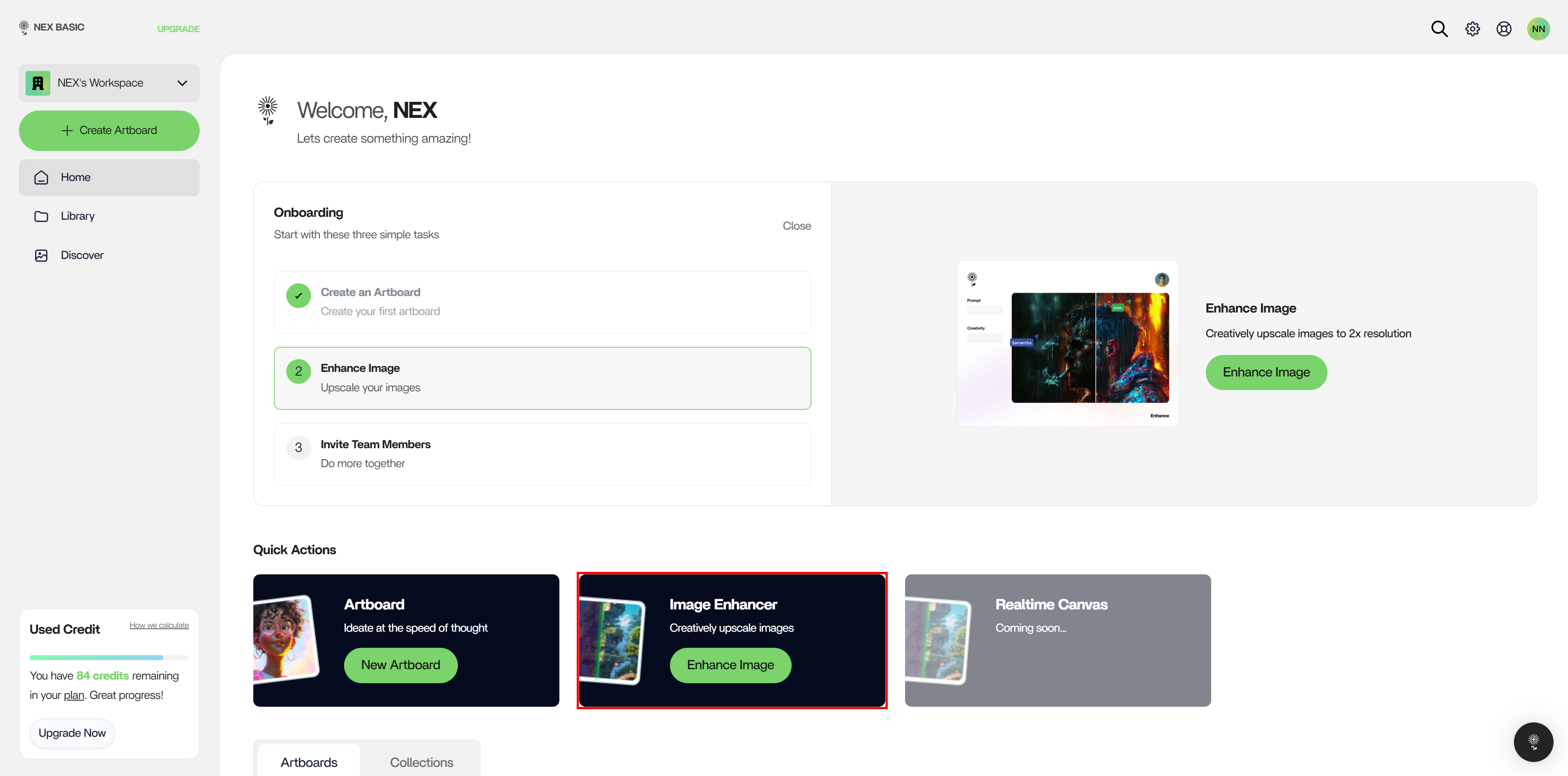
#### 1. On the Console, click on the Image Enhancer, or head there directly [https://console.nex.art/enhance](https://console.nex.art/enhance).
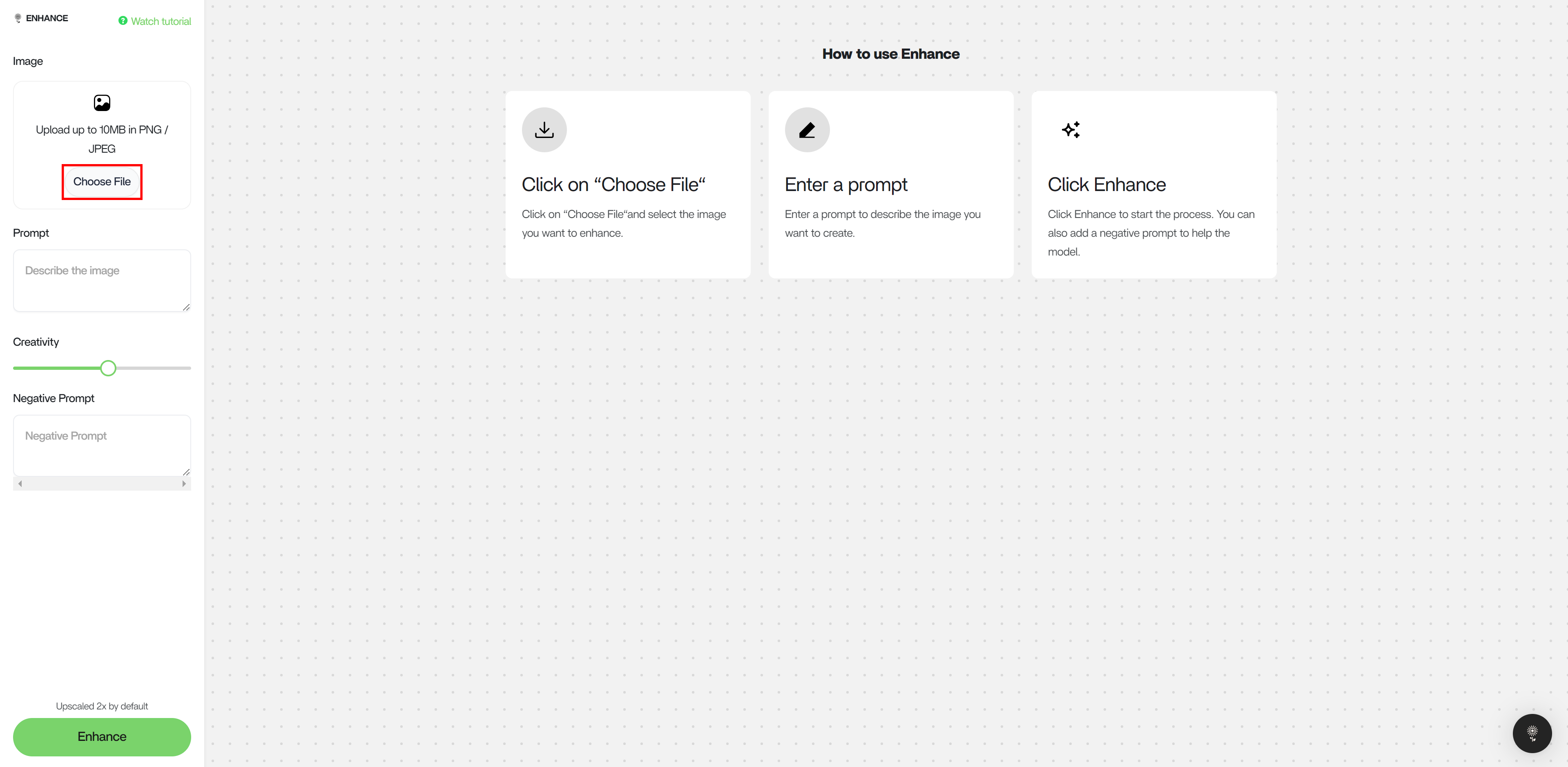
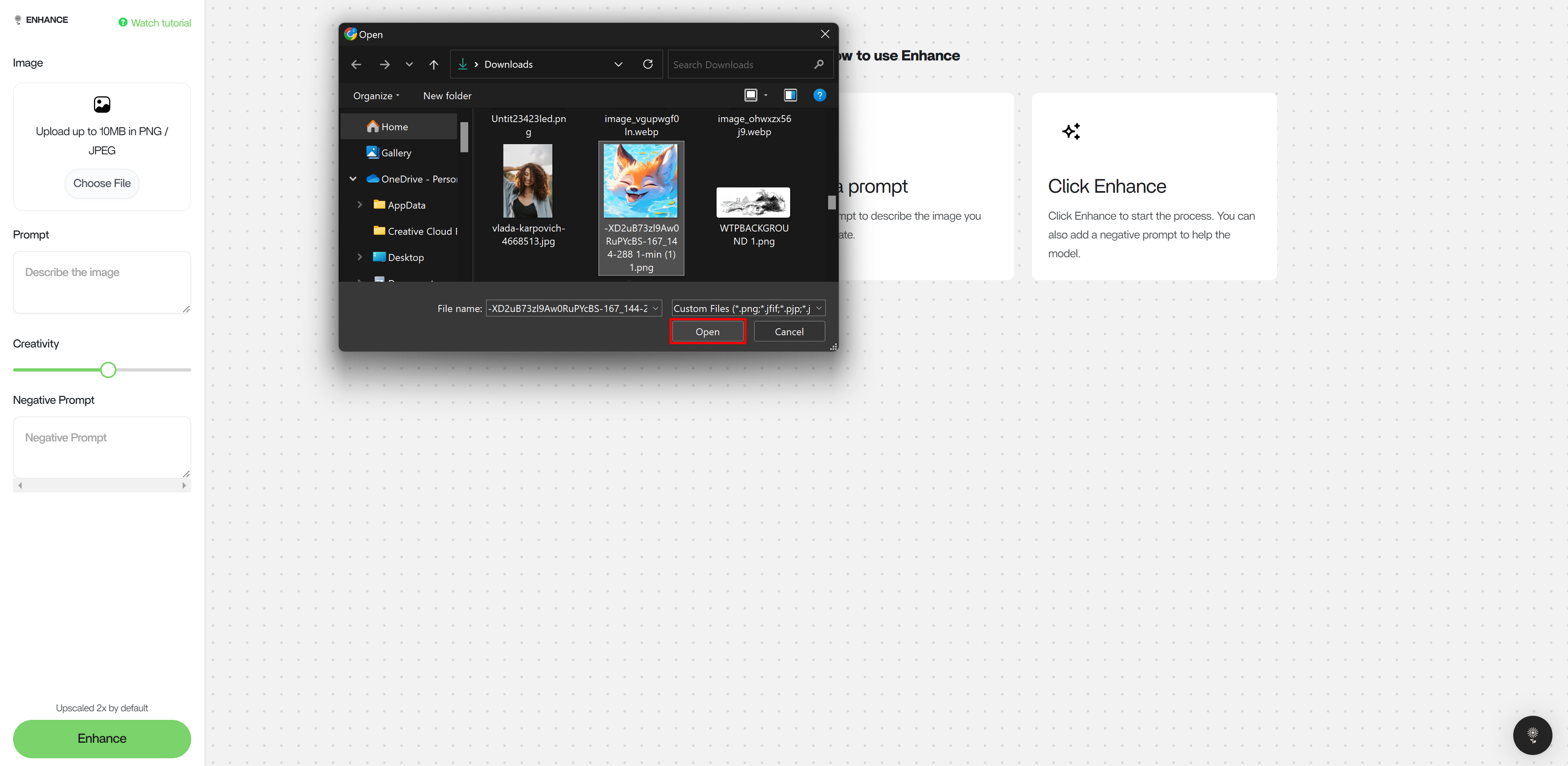
 #### 2. Select an image to enhance.
 #### 3. Describe the ideal output as well as input image in the Prompt box.
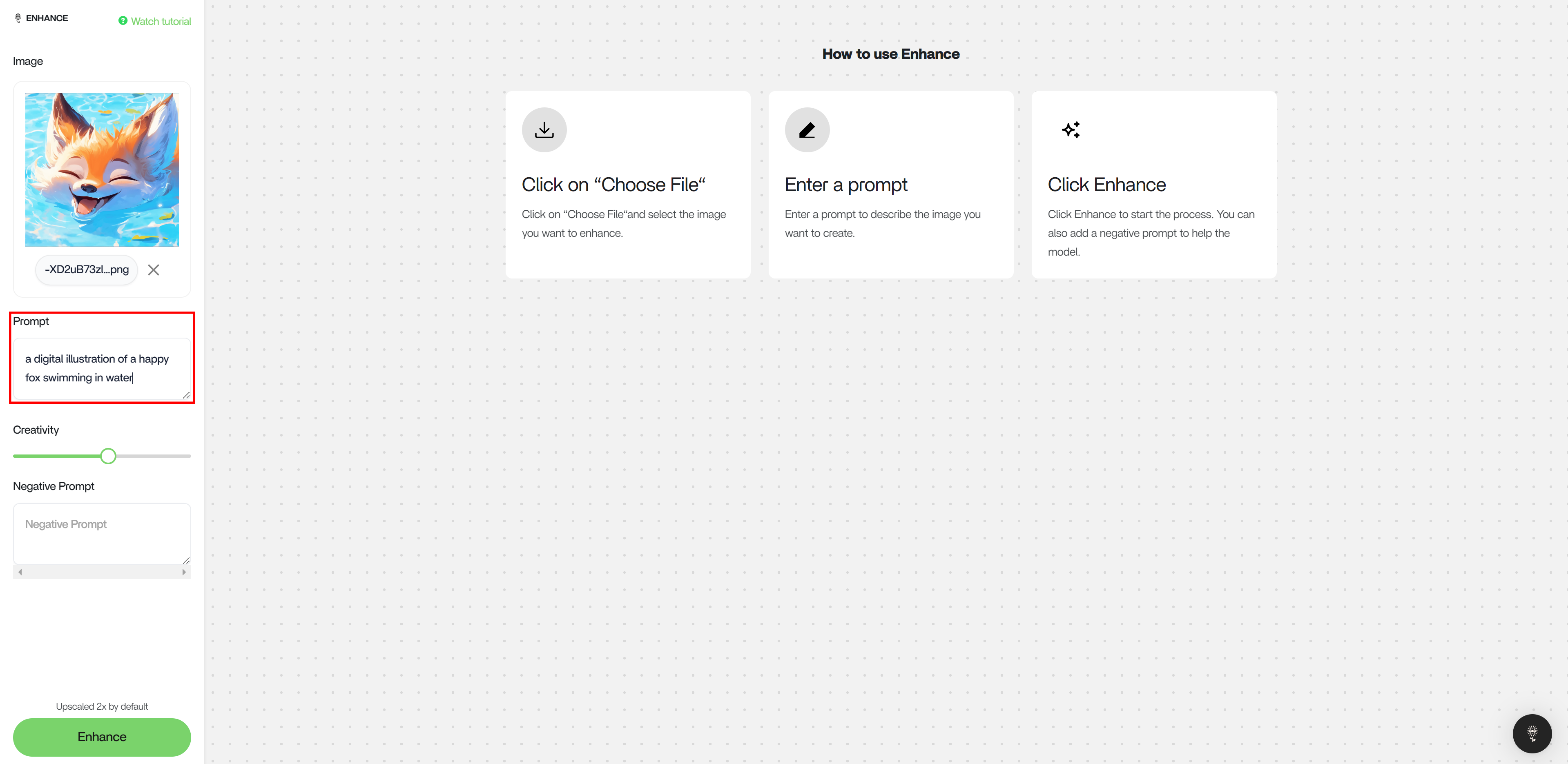 #### 4. Adjust the Creativity slider. A higher creativity results in a greater amount of changes and a lower creativity effects the image composition minimally.
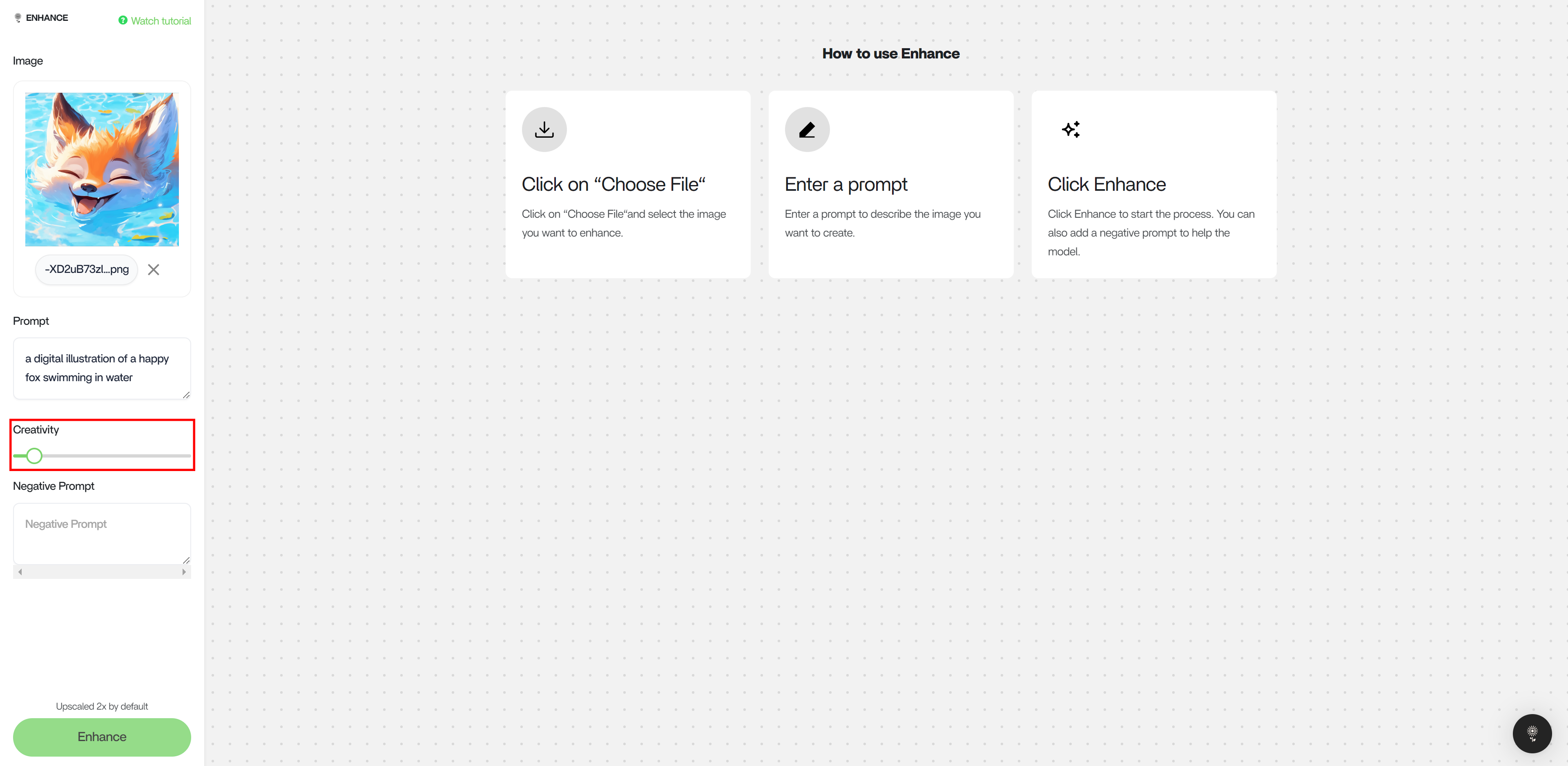 ### Creativity Slider
A creativity scale of \< 0.4 is recommended. Depending on the input image quality and resolution, enhancing an image with a creativity scale > 0.4 can result in an increased amount of unwanted artifacts and distortion.
#### Example of **0.67** Creativity
* Images Here
#### Example of **0.72** Creativity
* Images Here
### Reimagination Comparison
* Images Here
### Upscale Comparison
* Images Here
### Creativity Slider
A creativity scale of \< 0.4 is recommended. Depending on the input image quality and resolution, enhancing an image with a creativity scale > 0.4 can result in an increased amount of unwanted artifacts and distortion.
#### Example of **0.67** Creativity
* Images Here
#### Example of **0.72** Creativity
* Images Here
### Reimagination Comparison
* Images Here
### Upscale Comparison
* Images Here